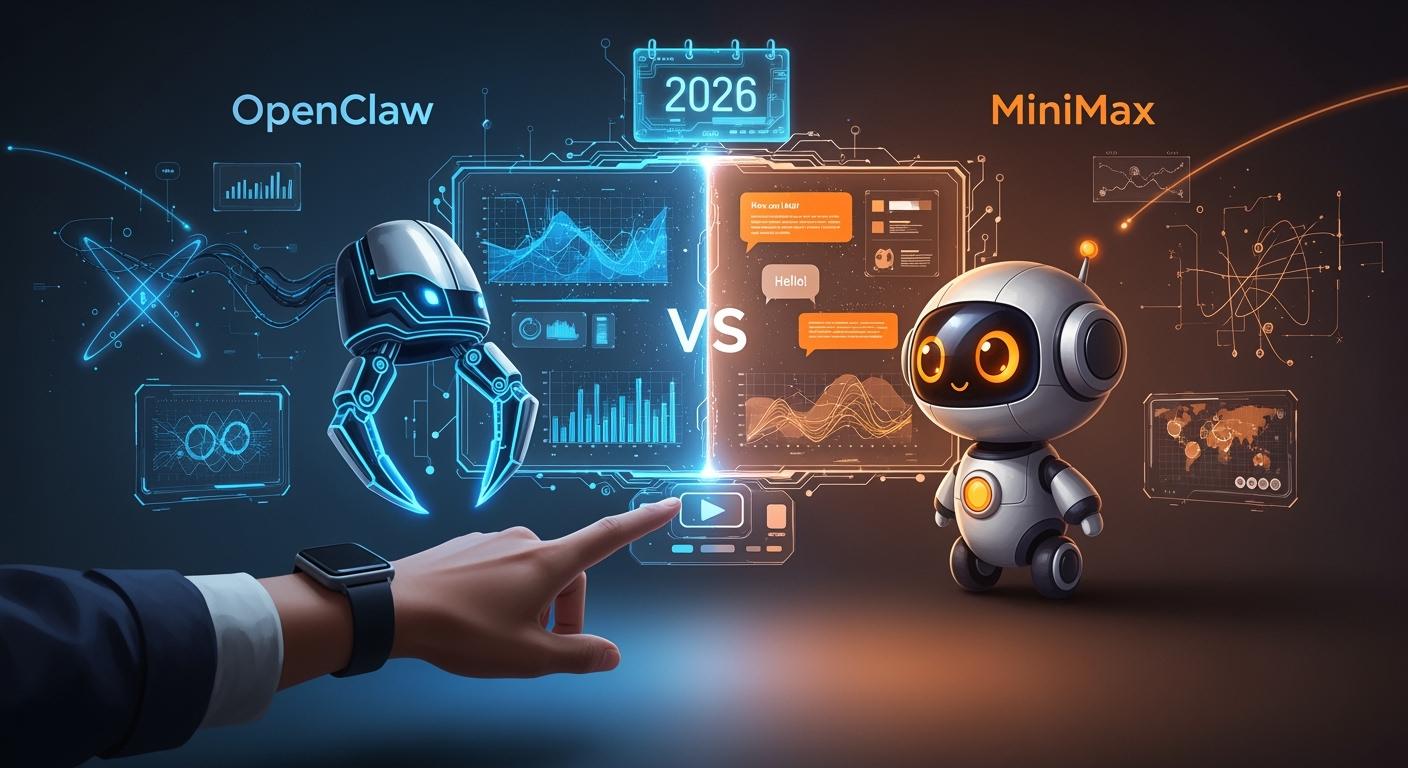
Comparing Features of Two AI Assistants
Explore the key differences between OpenClaw and MiniMax.
Features | OpenClaw | MiniMax (MaxClaw) |
|---|---|---|
Performance | Local-first, strong privacy, scalable | Cloud-hosted, ultra-fast, always online |
Features | 5000+ skills, deep customization, multi-language | Robust toolset, long-term memory, quick setup |
User Satisfaction | High for privacy-focused users | High for teams and operators |
Pricing | Free/self-hosted, pay for hardware | $16/month, freemium credits |
Deployment | Personal hardware or low-cost cloud | Managed cloud, one-click setup |
In the OpenClaw vs MiniMax debate for 2026, MiniMax comes out on top. It delivers faster performance and greater cost savings for your team. With over 212 million users worldwide, many are making the switch due to its affordability and simple setup.
Experts highlight that MiniMax stands out in the OpenClaw vs MiniMax comparison thanks to its advanced multi-agent orchestration and robust control layers.
Check out the quick comparison table below for a fast overview before diving deeper.
Key Takeaways
MiniMax is faster and easier to use than OpenClaw. This makes MiniMax great for teams that need quick answers. OpenClaw is better for privacy and lets you change more settings. This is good for people who care about their data. MiniMax has a subscription plan that helps with planning money. OpenClaw can be free if you run it yourself. Both AI assistants are good at doing tasks. MiniMax remembers things for a long time, which helps users. Think about what you need most—speed and easy use with MiniMax, or more control and privacy with OpenClaw.
OpenClaw vs MiniMax: Quick Comparison
You want to compare these two AI assistants quickly. The table below shows the main differences between OpenClaw and MiniMax. You can easily see what each one is good at and where they are not as strong.
Category | OpenClaw | MiniMax (MaxClaw) |
|---|---|---|
Performance | Local-first, strong privacy, scalable | Cloud-hosted, ultra-fast, always online |
Features | 5000+ skills, deep customization, multi-language | Robust toolset, long-term memory, quick setup |
User Satisfaction | High for privacy-focused users | High for teams and operators |
Pricing | Free/self-hosted, pay for hardware | $16/month, freemium credits |
Deployment | Personal hardware or low-cost cloud | Managed cloud, one-click setup |
MaxClaw uses the OpenClaw framework but is managed in the cloud. You do not have to set up anything or fix problems. You just click a button and your AI agent is ready.
Performance
Speed and reliability are important to you. MiniMax is always on and answers fast. You do not need to set up or update it. OpenClaw works on your own devices, so you control privacy and how big it can get. Both can do many steps in a task, but MiniMax is better when you want fast answers and no downtime.
Features
OpenClaw has a big list of skills with over 5000 packages. You can change your assistant for coding, searching the web, syncing calendars, and more. MiniMax has these tools too and adds strong long-term memory. It supports over 200,000 tokens, so your agent remembers what you like and how you work for weeks. Both can use many languages and answer well, but MiniMax is easier for teams to set up.
User Satisfaction
If you care about privacy and control, OpenClaw is a good choice. Your data stays on your own devices. Teams and operators like MiniMax because it is fast and easy. You do not need to run servers or handle tech stuff. Reviews say both are liked, but MiniMax is even more popular because it is simple to use.
Pricing
OpenClaw lets you use your assistant for free if you use your own devices. You only pay for cloud servers if you want them. MiniMax costs $16 each month. You get credits every day to try features. This is good for teams who want to know their costs and use automation a lot.
The OpenClaw vs MiniMax comparison gives you two good options. OpenClaw is best for privacy and flexibility. MiniMax is best for speed and being easy. Pick the one that works for you.
Performance
Speed & Accuracy
When you compare OpenClaw vs MiniMax, speed and accuracy stand out as big differences. MiniMax uses the M2.5 model, which is known for being super fast and reliable. You get answers in about 1.2 seconds, so you never have to wait long. MiniMax can handle up to 100 tasks per second during busy times. That means your team can ask a lot of questions, and MiniMax keeps up without slowing down.
Here’s a quick look at the latest numbers:
Metric LinkStart AI RadarJoin our Telegram community for more AI updates! | MiniMax M2.5 | OpenClaw (implied) |
|---|---|---|
Speed | ~60 TPS (standard), ~100+ TPS (high-speed) | N/A |
Reliability (Hallucinations) | ~11-12% in summarization tasks | N/A |
Success Rate | 80%+ on SWE-Bench style tasks | N/A |
Cost per Hour | $0.30–$1.00 | N/A |
Latency | 1.2 seconds | N/A |
Comparison Cost | >$10 for Opus 4.6 | N/A |
MiniMax also does well with accuracy. It makes fewer mistakes, especially when summarizing or reviewing code. You can trust it to give you the right answer most of the time.
Adaptability
You want an AI assistant that can change with your needs. MiniMax adapts quickly to new tasks and workflows. If your team starts a new project, MiniMax learns your style and remembers your choices for weeks. OpenClaw gives you control over your setup, so you can tweak it for special jobs. Both let you add new skills, but MiniMax makes it easier for teams who want to get started fast.
Task Handling
Handling lots of tasks at once is important. MiniMax shines here. You can run daily research, triage tasks, or draft specs without missing a beat. It keeps track of long conversations and remembers what you need. OpenClaw also manages complex workflows, but you set up the tools yourself. In the OpenClaw vs MiniMax debate, you get speed and memory with MiniMax, while OpenClaw gives you more control.
Features
Skills & Integrations
When you compare OpenClaw and MiniMax, both have many skills. You can use OpenClaw for web searches, making images, syncing calendars, and running code. It has over 5,000 skill packages. MiniMax uses the same framework but works in the cloud. It also remembers what you like and your tasks for weeks. This long-term memory helps your agent know your preferences.
You might ask how these assistants connect to your apps. Here is a table that shows some special features and integrations:
Feature/Integration | Description |
|---|---|
Multi-Platform Support | You can use WhatsApp, Telegram, Discord, iMessage, and more with plugins. |
AI Agent Bridge | It connects to coding agents like Pi for tool streaming. |
Multi-Agent Routing | Each account gets its own workspace and agent. |
MiniMax Integration | It has native support for the MiniMax M2.5 model. |
Both assistants let you work on many platforms. You get flexibility and power. You can automate tasks or chat with your team.
Ecosystem Compatibility
You probably use Google Workspace or Microsoft 365 every day. OpenClaw and MiniMax make it easy to connect with these big tools. You can manage emails, calendars, and files without leaving your chat app. This saves time and keeps your work smooth.
Here is a simple table to show how these assistants fit into your office life:
Skill Name | Description | Best For |
|---|---|---|
Email, Calendar, OneDrive | Office suites |
You can add skills for Google Workspace too. This means you do not need to switch between apps. Your AI assistant handles everything in one place.
In the OpenClaw vs MiniMax debate, both have strong integrations. You get to pick what fits your style and needs.
User Experience
Interface & Usability
When you try a new AI assistant, you want it to feel easy and friendly. OpenClaw gives you a clean dashboard where you can see all your chats, skills, and settings in one place. You get to control how things look and work. If you like to tinker, you will enjoy the menus and options.
MiniMax takes a different path. You get a simple, ready-to-go interface. You just log in, pick your chat app, and start talking to your AI agent. There is no setup or confusing steps. Teams love this because everyone can jump in right away. You do not need to read a manual or watch a tutorial.
Here’s a quick look at how they compare:
Feature | OpenClaw | MiniMax |
|---|---|---|
Setup Time | Manual, more options | One-click, instant |
Dashboard | Customizable | Simple, streamlined |
Learning Curve | Medium | Very low |
Tip: If you want something fast and easy, MiniMax is your friend. If you want more control, OpenClaw gives you that power.
Customization
You might want your AI assistant to fit your style. OpenClaw lets you change almost everything. You can add new skills, pick your favorite tools, and even adjust how your agent talks to you. Developers can dive deep and make OpenClaw do special jobs.
MiniMax keeps things simple. You get some choices, like picking which chat app to use or what skills to enable. Most settings are ready out of the box. This is great if you want less hassle and more action.
In the OpenClaw vs MiniMax debate, you get to decide: Do you want full control, or do you want something that just works? Both give you a good experience, but in different ways.
Privacy & Security

Data Sovereignty
You want to keep your data safe. OpenClaw lets you control everything. Your chats and files stay on your own device. You choose where your information goes. This way, you do not need to trust a cloud company. If privacy is important, OpenClaw is a good pick.
MiniMax works differently. Your data is stored on cloud servers. You get fast service, but your information leaves your device. MiniMax uses strong encryption and follows strict rules for security. Teams who want easy setup and less work often pick MiniMax.
Here’s a simple table to compare:
Feature | OpenClaw | MiniMax |
|---|---|---|
Data Location | Your device | Cloud server |
Control | Full | Limited |
Encryption | Local + optional | End-to-end |
Privacy Focus | High | Moderate |
Tip: If you want your data close, OpenClaw is best. If you want speed and easy setup, MiniMax is a good choice.
Uptime & Support
You want your AI assistant to work all day. MiniMax is always online and ready to help. You do not worry about crashes or updates. The support team answers fast. You get help by chat or email.
OpenClaw depends on your device. If your device stays on, your assistant works. You handle updates and fixes. The OpenClaw community has guides and forums. You can ask questions and get help from other users.
Let’s look at the details:
MiniMax: 99.9% uptime, managed support, quick answers.
OpenClaw: Community help, device uptime, flexible fixes.
Note: If you want easy reliability, MiniMax is a strong pick. If you like to fix things yourself, OpenClaw gives you freedom.
Value & Pricing
Cost Comparison
When you look at the costs, you want to know what you get for your money. OpenClaw gives you a self-hosted option. You can run it for free if you use your own hardware. If you set things up well, you might pay only $10 to $30 each month for power and internet. Some users spend more if they use lots of AI features, with costs reaching up to $1,460 per month because of API usage.
MiniMax uses a subscription plan. You pay $16 each month for a managed cloud agent. This price includes daily credits for testing and covers most team needs. MiniMax keeps token costs low, sometimes as little as one-tenth of what you might pay for OpenClaw’s API usage. You do not need to worry about server bills or surprise charges.
Here’s a quick table to help you compare:
Option | Typical Monthly Cost | What You Get |
|---|---|---|
$10–$30 (optimized) | Self-hosted, flexible setup | |
OpenClaw (high usage) | Up to $1,460 | Heavy API use, advanced tasks |
MiniMax | $16 | Managed cloud, daily credits |
Tip: If you want to control your setup, OpenClaw can be very affordable. If you want simple billing, MiniMax makes it easy.
ROI & Long-Term Value
You want your AI assistant to save you time and money. OpenClaw works well for people who like to customize and manage their own tools. You get full control and can add new skills as you need them. If you use it a lot, costs can go up, but you decide how much to spend.
MiniMax shines for teams and businesses. You get a ready-to-go agent that handles daily tasks and grows with your needs. The low monthly fee helps you plan your budget. You do not need to hire IT staff or worry about updates. Over time, you save money because MiniMax keeps costs low and gives you more automation for less.
In the OpenClaw vs MiniMax debate, you get value from both. Your choice depends on how much control you want and how much you want to spend each month.
OpenClaw vs MiniMax: User Feedback
Ratings & Reviews
You might wonder what people think about these AI assistants. Many users say OpenClaw and MiniMax help with daily tasks. People like that both tools keep getting better at ads. They say it is easy to try new ideas fast. This stops you from getting bored and keeps your work fun.
Users also talk about saving money. They like spending less when making and running ads. Teams often like how fast MiniMax works. People who care about privacy choose OpenClaw. Both assistants get good reviews for making work easier and faster.
Here are some things users often say:
Updates help ads do better
You save money on ads
You can test ideas quickly
Many people say, “I finish more work in less time, and I always have new ideas.”
Community Insights
When you read what the community says, you see what each tool does well. People share stories in forums and group chats. They talk about features, what they like, and what could be better.
Here is a table that shows what users think:
Tool | Strengths | Weaknesses |
|---|---|---|
OpenClaw | Always working, full OS control, flexible | High API/token costs, security risks, sometimes not stable |
Claude Cowork | Safe local file access, easy to set up, stable | Limited folders, no full OS-level automation |
You can see OpenClaw is great for automation and flexibility. Some people worry about cost and safety. Claude Cowork is safe and simple, but it cannot do as much as OpenClaw.
In the OpenClaw vs MiniMax debate, people pick what fits their needs. You may want something fast and easy, or you may want more control and privacy. The choice is up to you.
MiniMax wins in 2026 because it is fast to start, has easy costs, and works all the time. Here’s a simple look at why:
Factor | MiniMax (Winner) | OpenClaw |
|---|---|---|
Setup | Instant, cloud-based | Manual, self-hosted |
Cost | Fixed subscription | |
Control | Less, but simple | Full, for advanced users |
If you care about privacy and want to change many things, OpenClaw is best for you. Teams that want speed and simple payments like MiniMax more. Think about what you do each day, how much control you need, and what is most important before you pick one.
FAQ
What makes MiniMax faster than OpenClaw?
MiniMax runs in the cloud and stays online all the time. You do not need to set up anything. OpenClaw depends on your device, so speed can change. MiniMax gives you quick answers, even when your team asks many questions.
Can I use both OpenClaw and MiniMax for my team?
Yes, you can! Some teams use OpenClaw for privacy and MiniMax for speed. You can try both and see which one fits your workflow. Many users switch between them based on the task.
Which AI assistant is better for privacy?
OpenClaw wins for privacy. Your data stays on your device. You control everything. MiniMax stores data in the cloud. If you want full control, OpenClaw is your best choice.
How much does it cost to use these assistants?
OpenClaw is free if you use your own hardware. You only pay for power and internet. MiniMax costs $16 per month. You get daily credits and no surprise bills.
Do I need to know coding to set up OpenClaw or MiniMax?
You do not need coding skills for MiniMax. Just click and start. OpenClaw needs some setup. If you like to tinker, you will enjoy OpenClaw. If you want easy, pick MiniMax.
See Also
Comparing ACE Studio 2.0 And Suno AI Music Tools
OpenAI Rushes GPT-5.2 Release To Compete With Gemini 3
Enhancing Decision-Making Skills Through Artificial Intelligence